
 Logging you in .....
GET AN ICON

Tap one of these icons
(usually in the upper right hand corner) when
in
"Chrome on Android" and then tap the
button labled "Add to Homescreen"
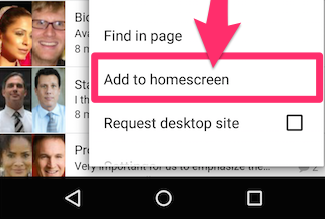
If you don't see the "Add to Homescreen" you will need to add the page as a bookmark
and then go to your bookmarks in "Chrome on Android" and long press on the bookmark
to bring up the option to add it to the homescreen.
Tap the
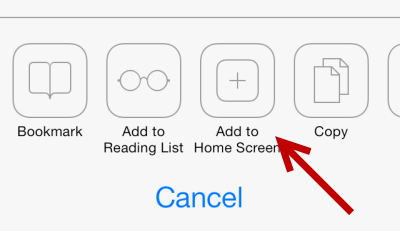
 icon when in "Safari"
and then
tap the button labled "Add to Homescreen"
* This web App works best with iOS9
**The app may not download to your first homescreen page, you can swipe between those pages to find the app


